

By Adam Wasserman
Oct 20, 2026 04:57 PM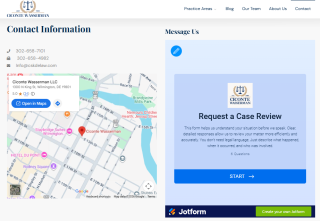
When someone reaches out to Ciconte Wasserman about a legal problem, I want that first step to be straightforward. They should be able to tell us what is going on, and we should be able to find and review their inquiry easily.
We use to help with that. It gives prospective clients a simple way to contact us through our website and gives our team a practical way to organize the submissions. Working with our web team, we have also set it up to help us understand where those inquiries come from.
One form we can use across our website
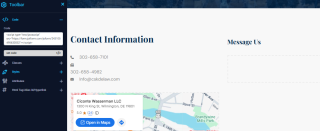
Our basic setup starts with one contact form. Our web team can copy and paste the embed code into our website’s content management system, and the form fits easily into the page. If we create another landing page, we can put that same form there, too.
That is useful because we do not have to build a separate form every time we add a page. When a particular type of inquiry calls for different questions or options, we can clone the form and customize that version. We can keep the general contact process simple while making room for different intake needs.
A shared view of incoming inquiries
The table view is especially useful for us. We can see submissions together, label them, and sort them by the type of inquiry or where they came from. It is easy to scan the list and then look more closely at an individual submission.
Our firm and our web team can work from the same submission list. That makes it easier to discuss what we are receiving and whether the forms are collecting the information we need. It also gives us a common reference when we talk about how the website is performing.
Understanding which campaigns bring inquiries
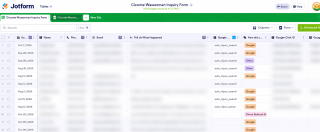
Our web team has configured the forms to capture Google Ads click IDs and campaign and source information alongside submissions. Where that tracking information is available, we can see it directly in the Jotform dashboard.
In the table view, we can look at inquiries from individual ad campaigns or other sources in one place. For me, that makes the marketing discussion more concrete. We can look at the actual inquiries associated with a campaign and consider how relevant they are to the work our firm handles.
Making changes as our needs change
The form is easy to adjust. We can add a question, change the available options, or show and hide fields. Conditional logic lets us display follow-up questions based on a person’s answers, which helps us ask for relevant information without presenting every question to everyone.
We can also use reCAPTCHA to help reduce spam. Keeping unwanted submissions down makes the list more useful for the people reviewing it.
Using Jotform for feedback and website content
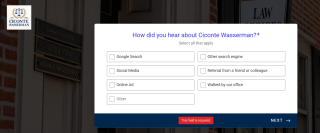
We have also created a separate customer feedback form for marketing research. It gives us a way to ask for feedback and gather responses in one place, helping us better understand the people who contact our firm and inform our marketing decisions.

Another useful project has been a Jotform app for sharing voice recordings with our web team. I can record answers to Q&A questions and send them over through the app. That gives the web team my explanations in my own words to work from when developing website content. It is a convenient way to contribute my perspective without having to write out every answer.
What I appreciate about this setup is how manageable it is. Prospective clients have an easy way to reach us, our team can review their inquiries together, and our web team can make changes when we need them. We can also use the same platform to collect feedback and share ideas for our website. Jotform has been a useful, flexible part of how we communicate.
Disclosure: Jotform offers additional monthly submissions for publishing user experiences like this one.